Loading TranscribeYouTube...
Free on the Chrome Web Store
YouTube Transcript Chrome Extension
The TranscribeYouTube extension adds a Transcript panel beside the YouTube player. Open any video that has captions, press the Transcript button or Alt+T, and the full caption track appears as searchable, timestamped text that follows the video. Translate it, send it to an AI chat, or download it as SRT, VTT or text. Free, no account, and it never transcribes audio.
Works in Chrome, Edge, Brave and other Chromium browsers. Published 22 October 2026 by Shinel Studios.
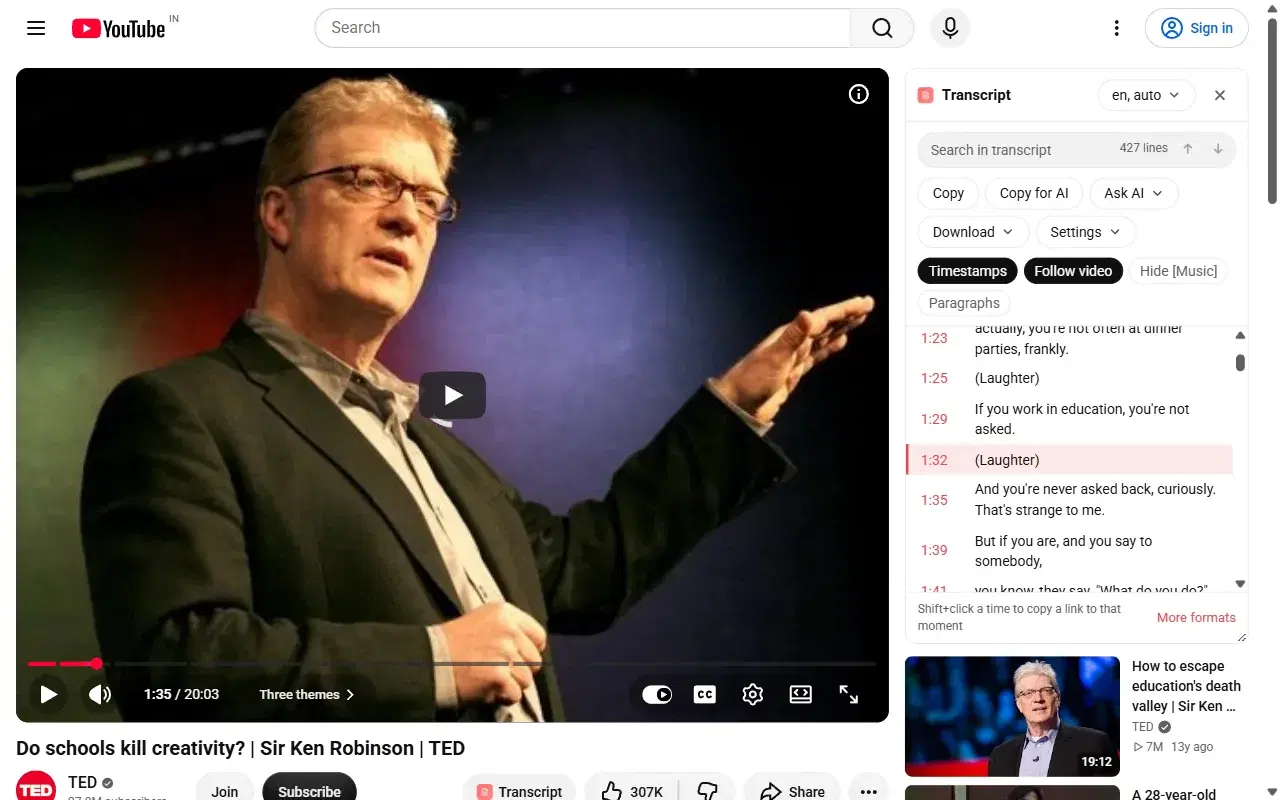
The panel on a TED talk: the spoken line is highlighted and kept in view as the video plays.
What it does
Search and jump
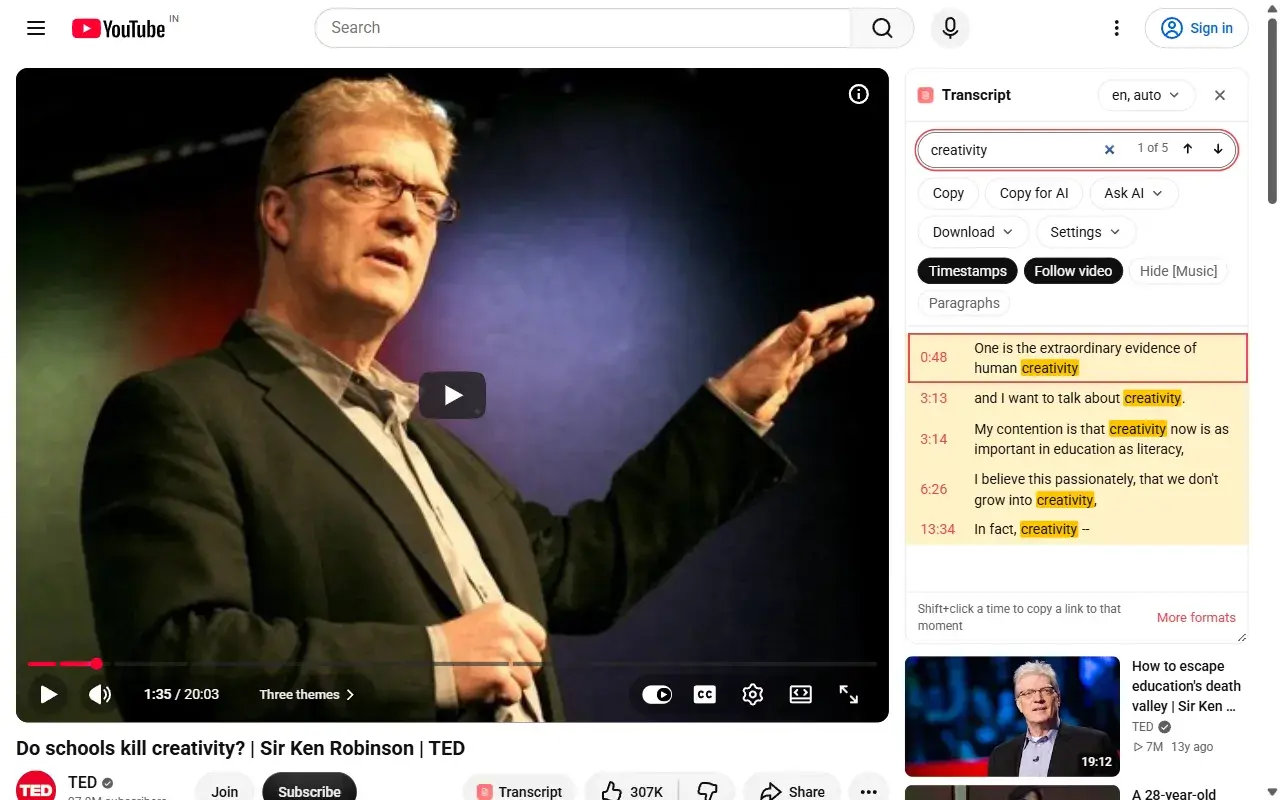
Type a word, step through the matches, click any line and the video jumps there. The spoken line stays highlighted as the video plays.
Translate
YouTube’s own machine translation into about 150 languages, with a searchable language picker and a one-click way back to the original.
Summarize on your computer
Summary, key moments, study notes, a quiz, a blog outline, or ask a question about the video. Runs on Chrome’s built-in AI (Chrome 138+), so the transcript never leaves your browser. Older Chrome falls back to an online chat.
Ask AI
Opens ChatGPT, Claude, Gemini or Perplexity with the transcript and your chosen prompt already in the chat, including a custom prompt you write once.
Download
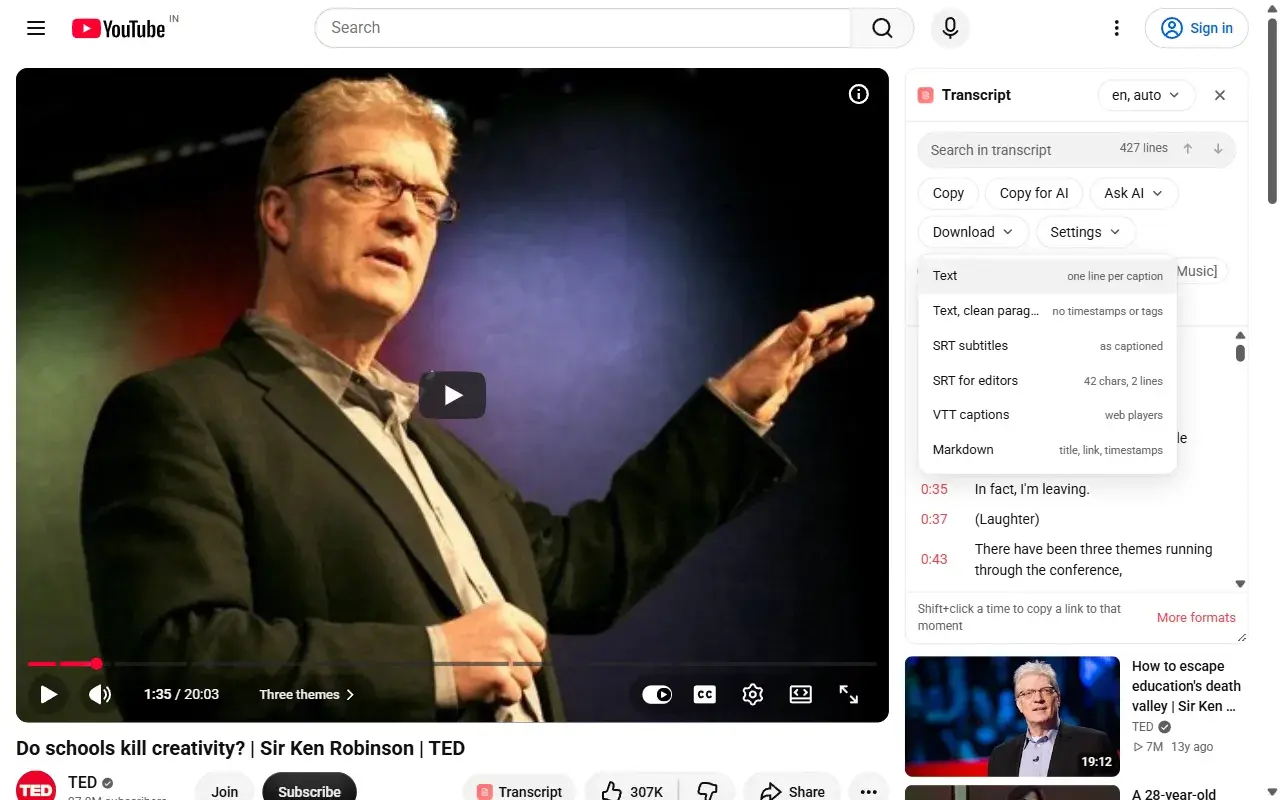
Text, clean paragraphs, SRT, editor-ready SRT, VTT or Markdown with chapter headings. Timestamps on or off. Sound tags like [Music] can be hidden first.
Highlights, quotes, chapters
Select words to copy them as a quote with a link to that moment, or save them as a highlight. Highlights are kept on your computer and export as Markdown for Obsidian, Notion or Docs. Chapters from the description become headings.
Private by design
Runs in your browser session. No account, no analytics. Only your display preferences and any highlights you save are stored, on your own device.
Made for keyboards too
Alt+T opens the panel, Enter steps through matches, Esc closes, Shift+click a time copies a link to that moment.
How to install
- Open the Chrome Web Store listing and click Add to Chrome. Chrome asks you to confirm the two sites it can read (youtube.com and transcribeyoutube.com).
- Open any YouTube video with captions. A Transcript button appears under the title, next to Like and Share. Or press Alt+T.
- Optional: pin the icon from the puzzle-piece menu so the toolbar button is always visible.
Extension or website?
| Use the extension when | Use the website when |
|---|---|
| You are already watching on YouTube and want the text beside the video. | You have a link and want the transcript without opening YouTube, or on a phone. |
| You want YouTube’s translation into another language. | You need CSV, Word, PDF, study notes or chapter timestamps. |
| YouTube blocks the website’s server for that video; the extension works in your own session. | You want the free JSON API or the MCP server for an AI agent. |
Summaries will not run on your computer? Chrome's built-in AI needs a recent Chrome and a capable machine. TranscribeYouTube Pro runs the same summaries on our server instead, sold as one-time credit packs with no subscription.
Version history
- Version 1.3.2 (27 October 2026): Clearer wording in the panel and the store listing, and the groundwork for a Firefox version.
- Version 1.3.1 (25 October 2026): A short “What’s new” card after an update, shown once.
- Version 1.3.0 (25 October 2026): Works on YouTube tabs that were already open, with no reload. A feedback link in Settings.
- Version 1.2.1 (24 October 2026): The panel no longer opens by itself when you move to a new video.
- Version 1.2.0 (23 October 2026): Summaries and questions on Chrome’s built-in AI, prompt presets, a highlights library, whole-word and regex search.
- Version 1.1.0 (22 October 2026): Chapters from the description, Copy quote with a link to the moment, and YouTube Shorts.
- Version 1.0 (22 October 2026): First release on the Chrome Web Store: the transcript beside the player, search, translation and downloads.
Found a problem? Tell us and it goes into the next version.
Frequently Asked Questions
Quick answers about transcripts, captions, downloads, and limitations.
Is the Chrome extension free?
+
Is the Chrome extension free?
+Yes. Everything on this page is free, with no account and no trial: the transcript, search, translation, downloads, highlights, and AI that runs on your own computer. There is one optional paid add-on, TranscribeYouTube Pro, for people whose computer cannot run Chrome’s built-in AI: it runs the summaries on our server and is sold as one-time credit packs on this website, never as a subscription. The extension is built by Shinel Studios, the team behind this website, and the source code is public on GitHub.
Does it transcribe audio?
+
Does it transcribe audio?
+No. Like the website, it reads the caption track YouTube already holds for the video, either the creator’s subtitles or YouTube’s automatic captions. A video with captions disabled has no transcript to show, and the panel says so.
What does it send to your servers?
+
What does it send to your servers?
+Nothing, in normal use. The transcript is fetched inside your own browser session, directly from YouTube. Only if that fails does it send the video id to transcribeyoutube.com as a fallback. There are no analytics in the extension.
How is the translation done?
+
How is the translation done?
+It asks YouTube for the machine translation of the caption track, the same translation the YouTube player offers under the CC menu, in any of roughly 150 languages. Names, jokes and jargon can come out oddly, as with any machine translation.
Which formats can it download?
+
Which formats can it download?
+Text (one line per caption or clean paragraphs), SRT subtitles, an editor-ready SRT wrapped to 42 characters and two lines, VTT captions and Markdown. CSV, Word, PDF, study notes and chapters are on the website.
How does the on-device AI work, and what does it need?
+
How does the on-device AI work, and what does it need?
+Chrome 138 and newer ships a small language model (Gemini Nano) that runs on your computer. The extension sends the transcript to that model inside your browser, so nothing is uploaded. It needs about 22 GB of free disk for a one-time model download and a 4 GB GPU or 16 GB of RAM. If your Chrome or computer cannot run it, the panel offers ChatGPT, Claude, Gemini or Perplexity with the same prompt instead.
Does it work on YouTube Shorts?
+
Does it work on YouTube Shorts?
+Yes. On a Short the panel floats over the page with a small Transcript button in the corner, and it moves back beside the player on a normal video.
Is it on the Chrome Web Store?
+
Is it on the Chrome Web Store?
+Yes. It was published on 22 October 2026 and installs with one click from the store. The source code is also on GitHub if you want to read it or load it unpacked.
No extension? Use the website
Paste a link and get the same transcript, with more export formats.
Open the transcript viewer